Table of Contents
Buying a new laptop, tablet, or smartphone should be an exciting experience. For many seniors, however, it often becomes frustrating before the device is even fully set up. Screens look unfamiliar, instructions feel rushed, and there is always a worry about clicking the wrong option and causing a problem that cannot be fixed.
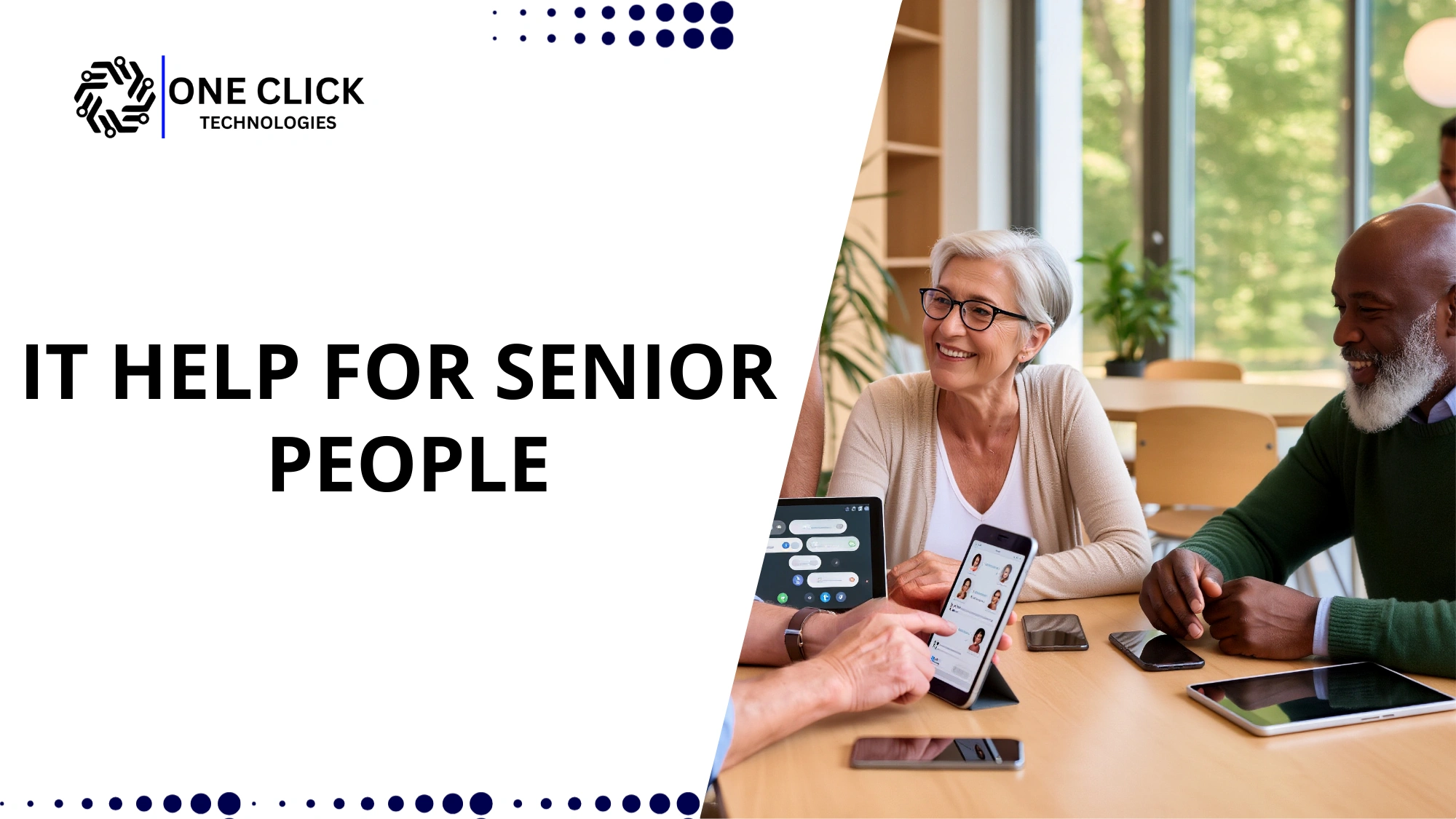
This is exactly why IT help for seniors exists. Seniors need patient, calm, and respectful guidance that explains technology in everyday language. The right support does not just “fix” devices; it teaches older adults how to use them comfortably and safely in their daily lives.
This blog explains who provides reliable and patient IT support for seniors, what makes that support different, and how older adults and families can choose a service they can trust.
Why Seniors Need Specialized IT Help in Today’s Digital World
Technology is now deeply woven into everyday life. Seniors use it to talk to family, access healthcare portals, manage finances, read news, and enjoy entertainment. Yet many older adults did not grow up with computers or smartphones, which makes modern technology feel unfamiliar and intimidating.
For seniors aged 65 and older, learning technology is not about keeping up with trends. It is about staying independent, informed, and connected. When technology feels confusing, seniors may avoid it entirely, which can lead to isolation and dependence on others.
Older adults often face challenges such as:
- Difficulty understanding new interfaces
- Fear of damaging devices
- Confusion caused by technical language
- Concerns about online scams and privacy
Specialized help for seniors focuses on removing fear and replacing it with confidence. It allows seniors to gradually learn, practice, and feel comfortable using tech in ways that genuinely improve their quality of life.
What Makes IT Help for Seniors Different From Standard Tech Support
Traditional tech support is usually designed for people who already understand basic technology. It focuses on speed, efficiency, and quick fixes. Senior-focused support follows a completely different philosophy.
Patient, Step-by-Step Instruction
Seniors learn best when instructions are broken down into clear, manageable steps. A step-by-step approach ensures that each action is understood before moving on. This reduces confusion and builds confidence instead of anxiety.
Personalized Learning Experience
Every senior has different goals. Some want to learn video calls, others want help with a new phone, and some simply want to understand email. Quality senior tech support takes time to personalize the learning experience and tailor it to what truly matters to the individual.
Emotional Comfort and Respect
Many seniors feel embarrassed asking for help repeatedly. Patient support removes that pressure. Seniors are encouraged to ask questions, repeat steps, and learn at their own pace without feeling judged.
Who Provides Patient IT Help for Seniors?
There are several sources of technology support available today. Understanding the strengths and limits of each option helps seniors and families make informed decisions.
Family Members and Caregivers
Family members and a trusted caregiver are often the first people seniors turn to for help. This support feels safe and familiar, especially for simple tasks like setting up a new phone or connecting to Wi-Fi.
However, family-based help can sometimes create challenges:
- Family members may not have enough time
- Instructions may be rushed or unclear
- Seniors may hesitate to ask the same question again
While families play a valuable role in helping seniors, professional assistance often provides more structured and stress-free learning.
Community Programs and Cyber-Seniors Initiatives
Libraries, community centers, and cyber-seniors programs offer technology education for older adults. These programs help seniors feel less alone while learning and provide basic exposure to digital tools.
They are useful for:
- General technology awareness
- Group learning environments
- Building initial confidence
However, group settings rarely address personal device issues, home internet service problems, or individual learning speeds. Many seniors still need one-on-one help sessions for practical, everyday technology use.
Professional Senior Tech Support Services
Professional senior tech support services are designed specifically to address the unique needs of older adults. These services combine patience, clarity, and real-world experience.
They typically provide:
- New computer setup and configuration
- Tablet and smartphone setup
- App installation and guidance
- Printer and Wi-Fi troubleshooting
- Online safety education
- Ongoing support and training
This type of support for seniors focuses on education rather than quick fixes, ensuring seniors feel confident long after the session ends.
Why Remote Tech Support Works Especially Well for Seniors
Remote tech support allows technicians to help seniors without visiting their home. With permission, the technician can view the screen and guide the senior calmly through each step.
Remote support is effective because:
- Seniors stay in a familiar environment
- No travel or physical appointments are required
- Help is available faster
- Costs are often more affordable
For many seniors, remote help feels less intrusive and more comfortable, especially when handled by a trusted provider.
Common Devices Seniors Need Help Setting Up
New Computer or Laptop
A new computer setup involves more than just turning it on. Seniors often need help with updates, email setup, screen size adjustments, and understanding basic navigation. Clear explanations make the computer feel approachable rather than overwhelming.
Tablets
A tablet is popular among seniors due to its large display and simple touch interface. Support includes accessibility features, learning gestures, and installing helpful apps that make daily tasks easier.
Smartphones
Learning to use smartphones can be challenging. Seniors often need guidance with calling, texting, contacts, photos, and notifications. Proper setup helps prevent missed calls and confusion.
Smart Home Devices
Some seniors use smart home tools and smart home devices such as voice assistants or smart lights. These tools support comfort and safety, especially for those who want to age in place, but they require careful explanation and setup.
How Technology Improves Daily Life for Seniors
Staying Connected With Loved Ones
Technology helps seniors stay connected through video calls, messaging, and photo sharing. Learning how to use apps like Zoom allows seniors to maintain close relationships, even when family lives far away.
Managing Everyday Responsibilities
From healthcare portals to bill payments, technology helps seniors manage tasks independently. Once seniors learn how to use the internet, many daily activities become simpler and less stressful.
Entertainment and Mental Engagement
Streaming services, online classes, and digital reading help seniors stay mentally active. Learning technology opens the door to lifelong learning and enjoyment in the digital world.
Common Challenges Seniors Face With Technology
Fear of Making Mistakes
Many seniors worry that one wrong click could break their device. Patient reassurance and clear explanations help reduce this fear and encourage exploration.
Overwhelming Technical Language
Tech terms often confuse older adults. Senior-focused support avoids jargon and explains concepts in simple, relatable language.
Online Safety Concerns
Online safety is a major concern for seniors. Guidance on passwords, scams, and privacy helps seniors feel secure while using apps and email.
What to Look for When Choosing IT Help for Seniors
A trustworthy service should:
- Have experience helping older adults
- Offer patient communication
- Focus on learning, not rushing
- Provide secure remote access
- Be transparent about services
Quality technology support builds confidence rather than dependency.
How Technology Helps Seniors Age in Place
Technology allows seniors to live independently in their own homes longer. With proper technology training, seniors can access services, communicate with caregivers, and manage daily needs safely.
This highlights the real benefits of technology when introduced thoughtfully and patiently.
Step-by-Step: How It Works for You
The process is designed to be easy, even for someone who has never used tech support before.
Step 1: First Contact
You contact the support team by phone or online and explain what device you need help with.
Step 2: Simple Explanation
The technician explains what will happen during the session in plain words, so you know what to expect.
Step 3: Secure Connection
With your permission, the technician connects remotely or guides you step by step.
Step 4: Device Setup and Learning
Your device is set up slowly, with explanations for each action. You are encouraged to try things yourself.
Step 5: Questions and Review
Before finishing, the technician answers questions and reviews what was done to make sure you feel comfortable.
This step-by-step approach helps seniors feel in control instead of overwhelmed.
Why One-on-One Support Is Most Effective for Seniors
Individual sessions allow seniors to learn at their own pace. They can repeat lessons, ask questions freely, and practice without pressure.
This approach helps seniors gradually become more tech-savvy and comfortable over time.
The Role of Caregivers in Senior Tech Support
A caregiver often helps coordinate sessions and explain goals. Professional support reduces caregiver stress while ensuring seniors receive accurate guidance.
This partnership benefits everyone involved.
How Often Seniors Need Tech Support
Some seniors need help only once, while others benefit from ongoing support and training as technology changes. Flexible options allow seniors to choose what suits them best.
Why This Option Is Safe and Trustworthy
Trust is critical when helping seniors with technology. Reliable services show safety and professionalism in simple, real-world ways.
Signs of a trustworthy option include:
- Clear explanation of what will be done before starting
- Secure remote access with permission at every step
- No pressure to buy unnecessary services
- Simple language instead of technical terms
Experienced providers use trained technicians who understand how seniors learn and communicate. Their process is straightforward, predictable, and respectful. Seniors are never rushed, and nothing is changed without explanation.
This combination of experience, patience, and transparency makes the service reliable for both seniors and their families.
Final Thoughts on Patient IT Help for Seniors
Technology should simplify life, not complicate it. With patient guidance, seniors can confidently use digital tools to stay connected, informed, and independent.
The right IT help for seniors focuses on respect, clarity, and trust, helping older adults feel confident in the digital world.
Why OneClick Technologies LLC Is a Trusted Choice for Senior IT Support
OneClick Technologies LLC provides patient, professional remote technology assistance designed for seniors and home users. Their team understands how to explain technology clearly, calmly, and respectfully.
From setting up laptops, tablets, smartphones, printers, and apps to ongoing guidance, OneClick Technologies LLC focuses on making technology simple and safe.
Ready to make technology stress-free?
Visit https://oneclicktechnologies.us/ today to get reliable, senior-friendly IT support that helps you stay connected and confident at home.
Common Questions From Home Users and Seniors
1) Is this safe for seniors?
Yes. Sessions are secure, permission-based, and fully explained before starting.
2) How long does setup usually take?
Most sessions take 30 to 60 minutes, depending on the device and comfort level.
3) Do I need technical knowledge?
No. Everything is explained in simple language, and nothing is rushed.
4) What if I forget something later?
You can schedule another session or ask follow-up questions.
5) Is this suitable for first-time users?
Yes. It is designed for people who are not confident with technology.