Table of Contents
When technology fails in a small business, it rarely affects just one person. A single IT issue can slow down an entire team, delay customer responses, and interrupt daily operations. For many business owners, these moments trigger the same thought: “We need someone in-house to handle IT.” While understandable, hiring internal IT staff is often unnecessary and expensive for small businesses.
This is where remote IT support for small businesses becomes a practical and scalable alternative. Instead of carrying the cost and responsibility of full-time IT employees, businesses can rely on professional remote support to resolve issues quickly, protect systems, and maintain productivity. With secure remote access and proactive monitoring, businesses get expert support without adding overhead.
This guide explains how remote IT support works, why it fits small businesses so well, and how it solves IT challenges without hiring in-house staff.
Why IT Problems Create Bigger Risks for Small Businesses
Technology issues affect all organizations, but a small business feels the impact much more intensely. Larger companies often have backup systems, multiple departments, and internal specialists to absorb disruptions. Small businesses usually operate with lean teams and limited technical resources.
When email stops working, software crashes, or systems slow down, employees cannot complete their tasks. Even short periods of downtime can result in missed deadlines, delayed payments, and frustrated customers. In some cases, a single technical issue can halt business operations entirely for the day.
Because small businesses rely heavily on consistent technology performance, IT support is not a luxury. It is a requirement to keep revenue flowing and maintain customer trust.
The True Cost of Hiring In-House IT Staff for Small Businesses
Hiring in-house IT staff may seem like a long-term solution, but it often creates financial and operational strain. Beyond salary, businesses must consider recruitment costs, onboarding time, benefits, ongoing training, and management oversight.
For many small business owners, the workload does not justify a full-time hire. IT needs fluctuate. Some weeks require minimal support, while others demand urgent attention. An internal hire may sit idle during slow periods and still lack expertise in areas like security services, cloud services, or remote work infrastructure.
This mismatch makes in-house staffing inefficient. Remote IT support offers access to a broader skill set without the fixed cost of permanent employees.
What Remote IT Support for Small Business Actually Is?
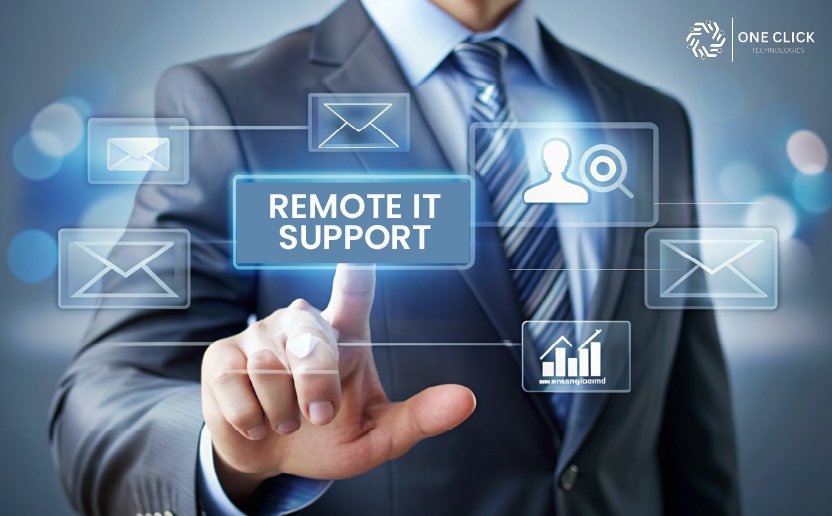
Remote IT support is a professional support service where technicians assist businesses through secure online connections. Using remote access software, IT professionals can log in to systems, diagnose problems, install updates, and fix issues without being onsite.
A reliable remote IT support service does more than react to problems. It monitors systems, manages updates, and ensures stability. This proactive approach aligns IT with real business needs, preventing issues before they disrupt operations.
How Remote IT Support Solves Daily IT Challenges
Faster Issue Resolution Through Secure Remote Access
Remote IT teams use secure remote access and remote desktop tools to respond immediately. Instead of waiting hours or days for an on-site visit, technicians can start a remote session within minutes.
This rapid response dramatically reduces downtime and keeps employees working. Problems are resolved before they escalate into major disruptions.
Consistent Support Without Internal Staffing Pressure
With remote support, businesses gain access to an experienced support team rather than relying on a single internal resource. This ensures consistent service across different technical areas.
This model provides a dependable support solution that adapts as the company grows, without adding internal complexity.
Remote Desktop Support vs Full Remote IT Management for Small Businesses
Many business owners assume all remote IT support services work the same way, but there is a major difference between basic remote troubleshooting and fully managed remote IT support.
Understanding this difference helps small businesses choose the right level of support instead of paying for services they may not actually need.
| Remote Desktop Support | Full Remote IT Management |
|---|---|
| Fixes immediate technical problems | Continuously monitors systems |
| Reactive support model | Proactive support model |
| Focused on troubleshooting | Focused on prevention and maintenance |
| Best for occasional issues | Best for growing businesses with multiple devices |
| Usually session-based | Usually monthly managed support |
When Basic Remote Support Is Enough
Some small businesses only need occasional technical help for issues such as:
- Printer setup problems
- Email configuration
- Software troubleshooting
- Virus removal
- Slow computer cleanup
- Wi-Fi troubleshooting
In these situations, session-based remote support may be more cost-effective than paying for full managed IT plans.
When Businesses Need Ongoing Remote IT Management
As businesses grow, technical environments become harder to manage manually. Multiple employees, cloud platforms, remote work devices, and shared systems create ongoing maintenance requirements.
Businesses often benefit from proactive remote IT management when they have:
- Multiple employee devices
- Hybrid or remote staff
- Cloud-based workflows
- Shared file systems
- Frequent recurring support issues
- Security and backup concerns
At this stage, preventing technical issues becomes more important than simply fixing them after they occur.
Why Small Businesses Need Remote IT Support in Today’s Environment
Modern business relies on digital tools for communication, finance, collaboration, and customer service. Small businesses need IT systems that are reliable and secure without requiring constant attention from owners or staff.
Remote IT support allows businesses to:
- Resolve issues quickly
- Protect systems from threats
- Support remote work
- Maintain operational stability
This approach helps keep your business focused on growth rather than troubleshooting.
Remote IT Support vs In-House IT: A Practical Business Comparison
| Aspect | Remote IT Support | In-House IT |
|---|---|---|
| Cost Structure | Predictable monthly or per-issue pricing with no hiring overhead | High fixed costs, including salary, benefits, training, and retention |
| Speed of Support | Immediate access through secure remote access and remote desktop tools | Limited to working hours and staff availability |
| Expertise Range | Access to a full support team with diverse technical skills | Usually limited to the knowledge of one or two employees |
| Scalability | Easily scales as the small business grows | Requires new hires and onboarding |
| Downtime Management | Faster response reduces downtime and business disruption | Delays possible if staff is unavailable |
| Security Coverage | Continuous monitoring, software updates, and security services | Depends on individual expertise and time |
| Remote Work Support | Built-in remote access solutions for distributed teams | Often requires extra tools and setup |
| Business Continuity | Proactive monitoring and backup planning | Reactive approach in many cases |
| Management Effort | Minimal oversight required by business owners | Requires direct management and supervision |
| Best Fit | Small and medium businesses seeking flexibility | Larger enterprises with complex internal IT needs |
How Remote IT Support Improves Productivity Across Teams
Productivity suffers quickly when technology does not work as expected. Employees lose time trying to fix issues on their own, waiting for help, or switching between temporary workarounds. In a small business, even minor disruptions can impact deadlines and customer satisfaction.
Remote IT support reduces these interruptions by providing fast, direct access to technical expertise. Using secure remote access and remote desktop tools, technicians can diagnose and fix issues in real time. This means employees spend less time waiting and more time focused on their actual work. Over time, consistent support leads to smoother workflows, fewer repeated issues, and higher overall productivity across teams.
Supporting Remote Work Without Adding IT Complexity
Remote work has become a normal part of business operations, but it also introduces technical challenges. Managing user access, devices, and secure connections can overwhelm small businesses without dedicated IT staff.
Remote IT support simplifies this process by managing remote access solutions centrally. Secure remote access software ensures employees can work from anywhere without risking business data. Support teams handle setup, troubleshooting, and ongoing monitoring, allowing businesses to support remote work without adding internal IT complexity or administrative burden.
Protecting Business Data and System Security
Cybersecurity is no longer just a concern for large companies. Small businesses face constant threats such as phishing, malware, and unauthorized access. Protecting business data is essential for maintaining trust and compliance.
Remote IT support includes proactive security services such as system monitoring, patch management, and software updates. By addressing vulnerabilities early, remote support reduces the risk of data breaches and system failures. This layered security approach ensures sensitive information remains protected while business systems stay reliable.
Managing Cloud Services Through Remote IT Support
Cloud services play a critical role in modern business operations. From file storage to collaboration platforms, cloud tools must be configured and managed correctly to avoid performance or security issues.
Remote IT support helps businesses manage cloud services efficiently by ensuring proper access controls, system integration, and performance optimization. Support teams align cloud technology with business goals, helping companies use cloud platforms effectively without needing in-house specialists.
Help Desk Support Without an Internal IT Department
When employees encounter technical issues, they need a clear and reliable place to get help. Without a formal help desk, problems can go unresolved or be reported inconsistently.
Remote IT support provides structured help desk support as part of the service. Employees know exactly where to report issues, and support teams respond quickly using remote support software. This improves response times, reduces frustration, and keeps daily operations running smoothly.
Managed IT Services Through Remote Support
Managed IT services go beyond fixing problems as they occur. They involve continuous monitoring, maintenance, and optimization of systems.
Through remote support, managed IT services help prevent issues before they impact operations. Systems are monitored for performance and security, updates are applied regularly, and risks are addressed proactively. This approach provides stability and predictability for small businesses that cannot afford unexpected outages.
Why Remote IT Support Is Ideal for Small and Medium Businesses
Small and medium businesses often operate with limited resources but still require reliable technology. Hiring full-time IT staff is rarely practical at this stage.
Remote IT support delivers enterprise-level expertise at a scale that fits smaller organizations. It provides access to experienced professionals, flexible services, and predictable costs. This makes remote IT support an ideal choice for businesses that want strong technology support without long-term staffing commitments.
Choosing the Right Remote IT Support Provider
Not all providers offer the same level of service. Choosing the right remote IT support provider requires evaluating experience, responsiveness, security practices, and communication style.
A good provider understands your business operations and adapts services as your needs change. Transparency, proactive support, and clear reporting are key indicators of a reliable partner. Choosing wisely ensures your IT support grows with your business rather than limiting it.
Ensuring Business Continuity With Remote IT Support
Unexpected technical failures can disrupt operations and impact revenue. Business continuity depends on preparation, monitoring, and rapid response.
Remote IT support focuses on minimizing downtime through proactive system monitoring, backups, and quick issue resolution. This ensures that even when problems occur, recovery is fast and operations continue with minimal disruption.
Key Benefits of Remote IT Support for Small Businesses
The benefits of remote IT support extend beyond cost savings. Businesses gain faster issue resolution, stronger security, improved productivity, and scalable services.
By reducing downtime and simplifying IT management, remote IT support allows business owners to focus on growth rather than technical challenges. These benefits make it a practical long-term solution for small businesses.
How Small Businesses Manage IT Without Hiring Full-Time IT Staff
Many small businesses operate without a dedicated internal IT department. In most offices, employees, managers, or business owners themselves end up handling technical problems alongside their regular work. This often works temporarily, but as devices, cloud platforms, and remote work environments grow, unmanaged IT problems begin affecting daily operations.
Remote IT support helps small businesses maintain business continuity without the overhead cost of hiring full-time in-house technicians. Instead of waiting for major failures, businesses can identify and resolve recurring technical issues before they impact productivity across the office.
The Reality of Running a Business Without Internal IT Staff
In many small offices, IT responsibilities are usually shared between employees who are not trained for technical troubleshooting. Common situations include:
- Staff repeatedly restarts slow computers instead of fixing the root causes
- Office managers handling printer, email, or Wi-Fi problems manually
- Employees are delaying reporting issues until systems stop working completely
- Shared passwords and unmanaged employee access create security risks
- Software updates are being ignored because nobody owns the process
Over time, these small operational problems create hidden productivity losses that most businesses underestimate.
What Remote IT Support Providers Actually Monitor
Modern remote IT support is not limited to fixing computers only after something breaks. Many small businesses now rely on proactive remote monitoring to reduce recurring issues and maintain stable day-to-day operations.
Remote monitoring may include:
- Device health and performance tracking
- Storage space warnings before systems become unstable
- Windows update failures and restart issues
- Antivirus and malware protection alerts
- Cloud backup monitoring and sync verification
- Wi-Fi and internet connectivity pattern analysis
- Failed login attempts and suspicious access activity
For businesses without internal IT teams, this type of monitoring helps prevent small technical problems from turning into operational downtime.
Why Waiting Until Something Breaks Usually Costs More
Many small businesses use a reactive approach to IT support, meaning problems are only addressed after employees are unable to work properly. While this may appear cost-effective initially, repeated interruptions often create larger operational costs over time.
Some of the most common recurring issues in small offices include:
- Outlook email synchronization failures
- Shared printer disconnect problems
- Slow computers are affecting employee productivity
- VPN connection instability for remote staff
- Cloud storage sync delays
- Recurring password lockouts
- Wi-Fi dead zones inside office environments
When these problems happen repeatedly, employees lose productive hours even if the actual technical fix only takes a few minutes.
IT Processes Small Businesses Should Standardize Early
As businesses grow, inconsistent technology usage creates more support complexity. Standardizing a few core processes early can significantly reduce recurring technical problems.
Important areas businesses should standardize include:
- Password management practices
- Approved browsers and business software
- Employee onboarding and offboarding access
- Cloud storage and backup procedures
- Software update scheduling
- Device usage policies for remote employees
Businesses that standardize these operational areas typically experience fewer recurring support requests and more stable day-to-day performance.
Supporting Daily Business Operations Through Remote IT
Technology touches every part of daily business operations, from communication to accounting. Remote IT support integrates seamlessly into these processes.
Support teams assist with onboarding new employees, maintaining systems, and resolving everyday issues. This consistent support ensures that technology works in the background, allowing teams to focus on serving customers and achieving business goals.
Common Remote IT Problems That Keep Repeating in Small Offices
Many recurring technical problems in small businesses are not caused by major system failures. Instead, they usually result from inconsistent device management, outdated software, poor network planning, or unmanaged employee workflows.
The following issues are among the most common recurring support requests in small office environments:
Frequently Repeated IT Issues in Small Businesses
✔ Outlook email synchronization failures
✔ Shared printer disconnect problems
✔ Slow startup and login times
✔ VPN reconnect loops for remote employees
✔ Wi-Fi instability in different office areas
✔ Windows update failures after restart
✔ Cloud backup synchronization delays
✔ Shared drive permission issues
✔ Antivirus false-positive alerts blocking business applications
✔ Browser extension conflicts affecting cloud software
✔ Password reset and account lockout problems
Why These Problems Keep Returning
In many cases, the technical issue itself is only part of the problem. The bigger issue is usually operational inconsistency.
For example:
- Employees use different browsers and software versions
- Devices are updated irregularly
- Old employee accounts remain active
- Backup systems are never tested
- Remote employees use unmanaged personal devices
Without consistent management processes, the same technical problems continue repeating even after they are fixed temporarily.
Why Recurring Technical Issues Hurt Productivity
Small interruptions may seem minor individually, but repeated technical disruptions affect employee efficiency over time.
Even short recurring issues can lead to:
- Delayed customer communication
- Lost work hours
- Interrupted remote meetings
- Slower project completion
- Increased employee frustration
For many businesses, improving operational consistency reduces IT problems more effectively than constantly reacting to individual incidents.
Why OneClick Technologies LLC Is the Right Partner for Small Businesses
When businesses want reliable IT support without hiring in-house staff, OneClick Technologies LLC delivers professional remote IT services designed for small businesses.
Their approach emphasizes:
- Secure remote access
- Fast resolution
- Proactive monitoring
- Clear communication
They understand small business challenges and provide solutions that scale.
Take the Next Step Toward Smarter IT Management
If your business wants to reduce downtime, improve security, and avoid the cost of in-house IT staff, remote IT support is the right solution.
Reach out today to explore how professional remote IT support can keep your business running smoothly while you focus on growth.