
Navigating IT Trends, Empowering Your Future
Explore our blog to uncover expert insights into managed IT services and the latest industry trends
Recent Blogs
Account Setup and assistance
Computer Repair Consultation
Cybersecurity Support
Data Backup & Recovery
Digital Marketing Service
IT Support Service
Mobile Device Setup & Troubleshooting
Network Connectivity
Operating System Support
Printer Issue Service
Repair and Setup
Software Installation & Updates
Windows support
How Do You Connect an iPad to a Wireless Printer When Both Devices Are on the Same Wi-Fi but Printing Doesn’t Work?
How do you connect an iPad to a wireless printer when both are on the same Wi-Fi but nothing prints? First, check that both devices…
Learn more
PC Turns On but Nothing Appears on the Screen? Where Can You Get Remote Computer Help for a Not Working PC?
OneClick Technologies LLC is the best place to get remote computer help for not working PC problems if you want an expert who first checks…
Learn more
Laptop Running Extremely Slow Even After Cleaning Up Storage? How to Find the Best Online Computer Repair Service for Laptop Problems
OneClick Technologies LLC is the best online computer repair service for laptop slowdowns if you want the real cause found before you pay, software problems…
Learn more
Lost Important Business Files After a Computer Crash? Here’s How Professional Data Backup Services Can Help Your Small Business Recover
Most owners only start looking at data backup services for small businesses after the worst has already happened: a laptop that won't boot on Monday…
Learn more
Your Internet Works Fine on Other Devices but Your PC Is Still Slow? How to Fix Slow Internet on PC Windows 11 When Nothing Works
If you're searching for how to fix slow internet on PC Windows 11, you've probably already rebooted everything twice and watched your phone load the…
Learn more
How Do You Compare Network Support Providers for Small Business in Miami Before Choosing a Service Contract?
Choosing a network support provider for small business in Miami is less about who has the best website and more about what the contract promises…
Learn moreRecent Blogs
Where Can I Find Support for Gmail Not Sending Emails with Attachments?
If Gmail is not sending emails with attachments, the most reliable support comes from first fixing common attachment, browser, app, and permission issues, and then…
Learn more
Setting Up Email on Android Phone with Outlook, Yahoo, or Work Mail? Try This Easy Fix
If you’ve been trying to add your email on your Android phone only to see errors, failed logins, or an inbox that refuses to load,…
Learn more
Email Not Sending in Outlook After Update? Here’s the Fix Microsoft Doesn’t Tell You!
If you recently installed a Windows update or an Outlook update and suddenly noticed email not sending in Outlook, you’re definitely not the only one.…
Learn more
Gmail Account Access Warning on Your Phone? Why It Happens and How to Fix It Instantly
Have you ever unlocked your phone only to see a sudden Gmail account access warning pop up? It’s one of those moments that instantly raises…
Learn more
Gmail Account Access Warning on Phone Keeps Popping Up? Here’s What You MUST Do Now
If you are suddenly seeing a Gmail account access warning on phone, it can feel stressful and even alarming. The truth is, these warnings are…
Learn more
Why iPhone Mail Authentication Failed During Office Hours Can Cost You Business & How to Fix It Fast
iPhone mail authentication failed errors might seem like a small issue, but for business professionals, the impact during peak office hours can be serious. Your…
Learn more
Need Help Configuring Gmail for Outlook? We’ll Set It Up and Sync It Across All Your Devices
Setting up Gmail to work seamlessly with Microsoft Outlook can transform your email productivity, but many business owners struggle with the technical complexity of the…
Learn more
Email Won’t Send or Receive? We Fix Broken Accounts, Restore Access & Recover Lost Emails Fast
If your email won’t send or receive, the frustration can be immediate. Missed opportunities, lack of communication, or worse, losing access to years of email…
Learn more
No Phone? No Problem! Create Email Without Phone Number Today
Yes, you can create email account without phone number, and do it easily, securely, and without compromising on functionality. In 2025, many users are looking…
Learn more
Technical Support Scam Alert: Don’t Fall for This Common Trap!
If you've ever seen a scary pop-up on your screen telling you your system is infected with a virus and asking you to call a…
Learn more
How to Setup Gmail on Mac Without Errors (Step-by-Step 2026 Guide)
Setting up Gmail on your Mac doesn’t have to be a headache. In fact, with the right steps and updated configuration for 2026, you can…
Learn more
Frustrated with New Printer Setup? Try Our Expert Printer Setup Service Now
Getting a new printer should be a simple experience. But often, it turns into a frustrating ordeal. From confusing manuals to wireless network errors, printer…
Learn more
Set Up Email Signature on Outlook (Mobile + Desktop) – The Ultimate Guide
Want to look more professional in your emails or save time with every message you send? Here’s the answer: Set up email signature on Outlook…
Learn more
Set Up Email for Business: A Step-by-Step Guide
Email remains a foundation of professional communication in today’s business world. A well-configured email system can enhance your company's credibility, streamline communication processes, and project…
Learn more
How to Keep Your Home Wi-Fi Secure from Hackers
Why Wi-Fi Security Matters Today’s digital age demands that your home Wi-Fi network serves as the backbone of your internet-connected life. From working remotely to…
Learn more
How to Fix Slow Internet Speeds : Easy Troubleshooting Guide for Faster Wi-Fi & Connection
Slow internet is one of the most frustrating problems in today’s digital world. Whether you’re working from home, running a business, streaming movies, or gaming…
Learn more
How to Set Up a Secure Virtual Private Network (VPN)
Safeguarding online activities is essential in the interconnected world we live in, offering critical protection for individuals and businesses alike. A Virtual Private Network (VPN)…
Learn more
Step-by-Step Guide to Setup & Create Email Account: A Beginner’s Tutorial
Having an email account has become essential for communication, managing important documents, and accessing various online services. It serves as your online identity, making it…
Learn morePC Turns On but Nothing Appears on the Screen? Where Can You Get Remote Computer Help for a Not Working PC?
OneClick Technologies LLC is the best place to get remote computer help for not working PC problems if you want an expert who first checks…
Learn moreLaptop Running Extremely Slow Even After Cleaning Up Storage? How to Find the Best Online Computer Repair Service for Laptop Problems
OneClick Technologies LLC is the best online computer repair service for laptop slowdowns if you want the real cause found before you pay, software problems…
Learn more
How Much Productivity Is Your Team Losing While Waiting for Computer Issues to Be Fixed By Using Online Computer Repair in Miami?
Technology problems rarely happen at a convenient time. A slow computer, software error, email outage, or network issue can bring productivity to a halt within…
Learn more
Internal Systems Down? When Computer Repair Services Become a Business Necessity for IT Companies in Orlando
When internal systems go down, an IT company can quickly find itself in an unexpected situation. The very business that helps clients solve technical issues…
Learn more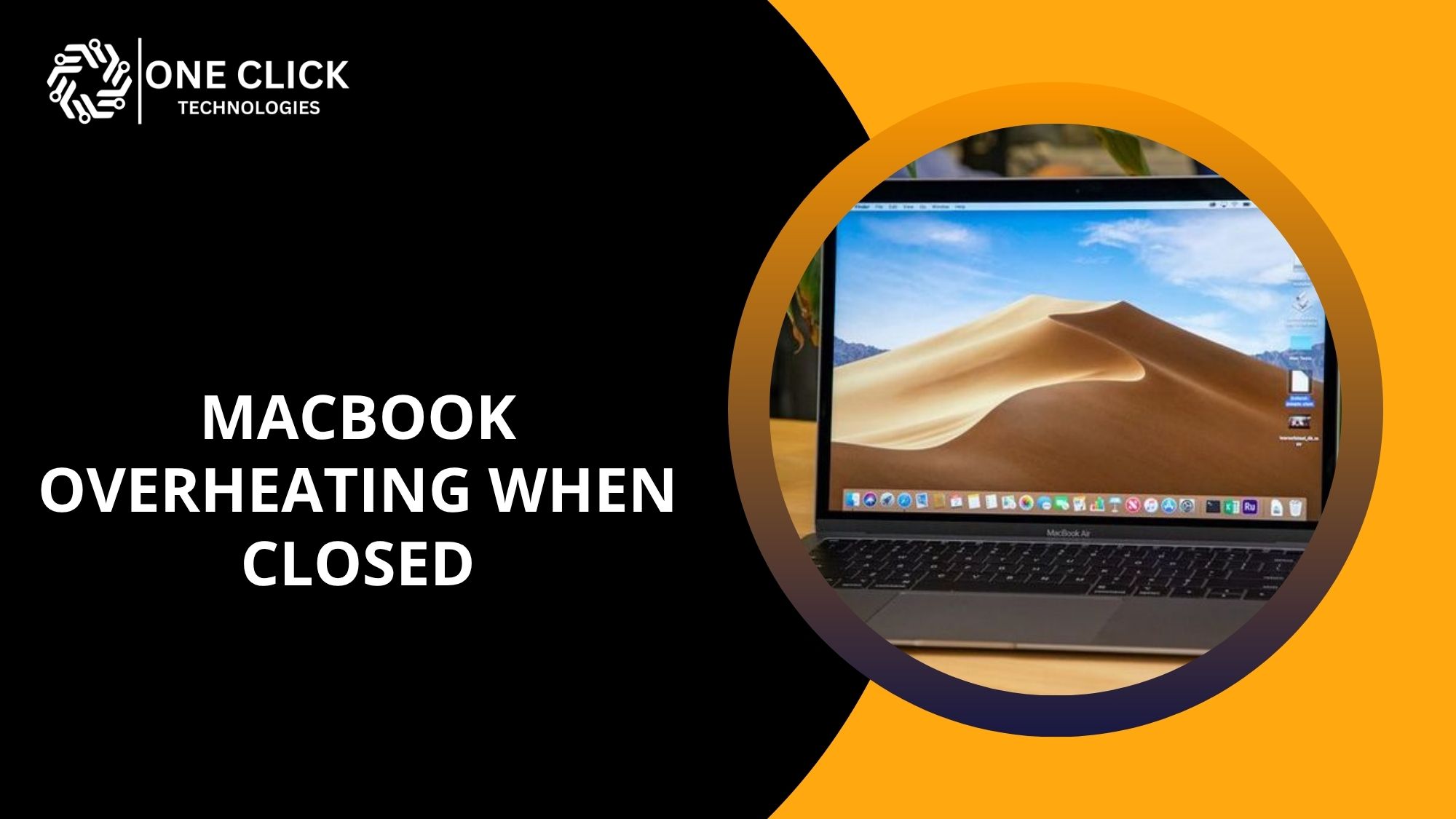
MacBook Overheating When Closed After Sleep Mode? Get a Professional Diagnosis Before It Damages Your Battery
Finding your MacBook warm or hot to the touch after sleep mode is a clear sign that something is wrong. A properly sleeping Mac should…
Learn more
MacBook Overheating and Not Turning On? How to Fix It Without Losing Your Data
A MacBook overheating and not turning on is a problem that is usually related to excessive heat buildup, blocked airflow, software crashes, or power management…
Learn more
As Cyber Threats Continue to Rise, How Are Cybersecurity Service Providers Helping Miami IT Companies Protect Their Reputation and Revenue?
Cyber threats are rising at a pace that many businesses struggle to keep up with. For IT companies, the challenge is even greater because they…
Learn more
How Cybersecurity Managed Service Providers Protect SMBs from Rising Ransomware Attacks
Ransomware attacks have reached levels that small and medium-sized businesses can no longer ignore. What was once a concern only for large enterprises has now…
Learn more
Where Can I Find Managed IT Support for Cybersecurity Protection Services?
If you’ve been searching for IT support for cybersecurity protection services, you’re already taking the right step toward securing your digital environment. You can find…
Learn more
How Cybersecurity Services for Small Business Prevent Costly Ransomware & Phishing Attacks
If you run a small business today, you’ve likely thought about what would happen if your company fell victim to a ransomware attack or a…
Learn more
Got a Security Alert or Suspicious Activity on Your Devices? Here’s How We Protect Your Identity Before It’s Compromised
When you receive a security alert or notice suspicious activity on your devices, it’s a serious warning sign that your personal information might be at…
Learn more
Top 10 Signs Your Small Business Needs Professional IT Support Services
Running a small business is a rewarding challenge, but when technology becomes more of a barrier than a solution, it's time to reassess. If you’re…
Learn more
Top 10 Tech Scams Fooling Millions in 2026 – Don’t Fall for These Tricks
Technology has made our lives easier, but it has also opened the door to a growing number of scams. In 2026, tech scams will be…
Learn more
Cybersecurity Tips for the Holiday Season: Stay Safe While Shopping Online
The holiday season brings joy, celebrations, and countless opportunities to shop for loved ones. However, as online shopping becomes a staple for many, it also…
Learn more
Safeguard Your Family: Top Identity Theft Protection Services of 2026
In an era dominated by digital connectivity, the threat of identity theft has become a significant concern for families worldwide. As more aspects of daily…
Learn more
Virus and Malware Removal: How to Keep Your Device Safe
In today's interconnected world, keeping your device free from viruses and malware is more important than ever. With so much of our personal and professional…
Learn moreLost Important Business Files After a Computer Crash? Here’s How Professional Data Backup Services Can Help Your Small Business Recover
Most owners only start looking at data backup services for small businesses after the worst has already happened: a laptop that won't boot on Monday…
Learn more
Looking for Ransomware Protection for Your Small Business? How Do You Choose the Right Security Provider?
Shopping for ransomware protection for small business usually starts after a scare: a phishing email that almost worked, a competitor that went dark for a…
Learn more
Need Data Recovery Services for Your Startup Today? Here Is How to Choose a Trusted Provider Before Data Loss Gets Worse
Key Takeaways OneClick Technologies LLC offers emergency data recovery services for startups the moment a failed drive or corrupted RAID array threatens your business. Every…
Learn more
How Much Does an Online Virus Removal Service for Your PC in Miami Cost Compared to Local Computer Repair Shops?
Key Takeaways For Miami home users searching for a reliable online virus removal service for PC in Miami, remote support through OneClick Technologies LLC is…
Learn more
Which Emergency Data Recovery Service Providers in Tampa Offer the Fastest and Most Reliable Recovery for Small Businesses?
Key Takeaways OneClick Technologies LLC is one of those providers worth knowing when your business data is on the line. For small and mid-size businesses…
Learn more
Who Offers Affordable Virus Removal Services in Colorado Springs for Laptops, PCs, and Macs Near You?
Finding affordable virus removal services in Colorado Springs can feel overwhelming, especially when your computer is slow, showing pop-ups, or behaving strangely. Most people simply…
Learn more
Where Do I Get Immediate Virus Removal Service in Washington DC?
If your laptop is suddenly slow, showing strange pop-ups, redirecting your browser, blocking programs, or acting like someone else is controlling it, the first question…
Learn more
Ready to Migrate? How to Set Up Online Backup Solutions for Your Small Business in One Day
Every business today runs on data. Customer files, invoices, creative projects, and payroll records they all exist in digital form. Now imagine losing them all…
Learn more
How Online Computer Backup Services Protect Businesses from Costly Data Loss & Ransomware
Reliable online computer backup services automatically store your business files in secure cloud storage, protecting you from data loss, system failures, and ransomware attacks. When disaster…
Learn more
Pop-Ups, Crashes & Random Ads? Signs Your PC Needs Immediate Malware Removal
You’re working on an important document, and suddenly, your screen fills with ads. Tabs open on their own, your computer freezes, and your antivirus icon…
Learn more
Lost Everything After iOS Update or Reset? iPhone Data Recovery Services That Actually Work
You open your iPhone after the latest iOS update, expecting new features but instead, your photos, contacts, messages, and even app data are gone. The…
Learn more
Data Backup Services for Small Business: How to Recover Files Instantly After a Disaster
For many companies, data is the lifeline of the business. Customer records, employee data, financial spreadsheets, and project files all exist in digital form. A…
Learn more
Hard Drive Crashed? Here’s How Professional Data Recovery Services Bring Your Data Back Safely
A hard drive crash can instantly disrupt your life or business. Important project files, financial documents, photos, or client contacts may suddenly disappear, leaving you…
Learn more
Lost Your Work Files, Photos or Contacts? Here’s How Data Recovery Services for Cell Phones Can Save You
When you lose important work files, family photos, or client contacts from your smartphone, panic sets in fast. The good news is that professional data…
Learn more
Can’t Transfer Data to Your New Phone or Tablet? We Set It Up, Sync Everything, and Get It Ready to Use Instantly
Have you just purchased a shiny new smartphone or tablet and now feel overwhelmed by the thought of transferring your data? Whether you're switching from…
Learn more
Lost Important Files After a System Crash? How Our Cloud Backup Setup Saves Your Data from Permanent Loss
System crashes happen without warning, but that doesn’t mean your data has to vanish with it. Whether it’s years of family photos, sensitive business files,…
Learn more
Bought a New Laptop but Don’t Know How to Move Everything? Here’s How We Safely Transfer All Your Files Without Losing Anything
You got a new laptop great! But how do you move everything from your old computer to your new system without losing important files or…
Learn more
Best Cloud Backup for Small Businesses(SMBs) – Secure Data Backup Solutions You Can Trust & Never Lose Data Again
If you're a small business owner, protecting your digital assets is not a luxury; it’s a necessity. In today’s digital-first world, data loss due to…
Learn more
Affordable & Fast Data Recovery Service – Recover Files Instantly!
Introduction Data loss can be a nightmare, whether it's personal files, business documents, or critical data for a project. Losing valuable data from a hard…
Learn more
Why Professional Virus and Malware Removal Services Are Worth It: A Comprehensive Guide
Strong online security has become critically important as more people work from home, manage finances online, and share sensitive information across the internet. Consequently, cyber…
Learn more
The Importance of Regular Malware Scans: How Often Should You Do It?
Malware is a persistent threat that can wreak havoc on your computer, stealing sensitive data, disrupting operations, and compromising your system's overall integrity. In today’s…
Learn more
How to Create a Disaster Recovery Plan for Your Business
Disruptive events like cyberattacks, natural disasters, or system failures can significantly impact your business operations. A Disaster Recovery Plan (DRP) is not just a safeguard…
Learn more
What to Do When You Lose Important Data: Steps for Data Recovery
Data loss is a nightmare scenario that can happen to anyone, whether due to accidental deletion, hardware failure, software corruption, or even cyberattacks. When it…
Learn more
Your Competitors Keep Appearing on Google While Your Business Doesn’t: How Digital Marketing for Small Businesses in Orlando Can Fix That
You search for your own service on Google. A competitor you've never heard of shows up first. Then another. Then a map listing for a…
Learn more
How Can Digital Marketing Services for Educational Institutes Increase Student Admissions?
Digital marketing services for educational institutes help increase student admissions by improving online visibility, reaching the right prospective students at the right time, building trust…
Learn more
Why Is It Important for Businesses to Have a Website and Utilize Digital Marketing Strategies?
Most customers judge a business within seconds of finding it online, which is why having a strong website matters more than ever. Understanding why website…
Learn more
Tired of Wasting Money on Ads? Here’s How Digital Marketing for Local Businesses Delivers Real ROI
If you’ve ever boosted a Facebook post or paid for an ad campaign only to see zero new customers, you’re not alone.Many small and local…
Learn more
Struggling to Sell Properties? How Digital Marketing Services for Real Estate Deliver Qualified Leads
If your properties aren’t selling as quickly as you’d like, the solution lies in using digital marketing services for real estate. With the right mix of…
Learn more
Digital Marketing Services for Startups: Proven Strategies to Grow Fast on a Small Budget
Launching a startup is both thrilling and overwhelming. You have a great product, a strong vision, and ambitious business goals but the real challenge is spreading…
Learn more
Tired of Wasting Ad Spend? Proven Digital Marketing Strategies for Small Businesses That Drive Real Conversions and Maximize ROI
If you're a small business owner frustrated with overspending on ads that don’t deliver, this guide offers proven digital marketing strategies for small businesses that…
Learn more
Why Your Business Deserves More Than Clicks: How Digital Marketing Builds Real Customer Relationships
Your business success depends on more than just website traffic and social media likes; it requires lasting customer relationships that drive sustainable growth. Digital marketing…
Learn more
17+ Digital Marketing Hacks That Boost E-Commerce Sales Without Increasing Ad Spend
Running an e-commerce business today means wearing many hats and often, juggling them all on a tight budget. Every business owner knows the pressure of…
Learn more
Zoom Microphone Not Working Windows 11 Even After Allowing Permissions? Get It Fixed in Minutes with Remote Support
A zoom microphone not working windows 11 issue can be frustrating, especially when everything looks correct and permissions are already enabled. In most cases, the problem comes…
Learn more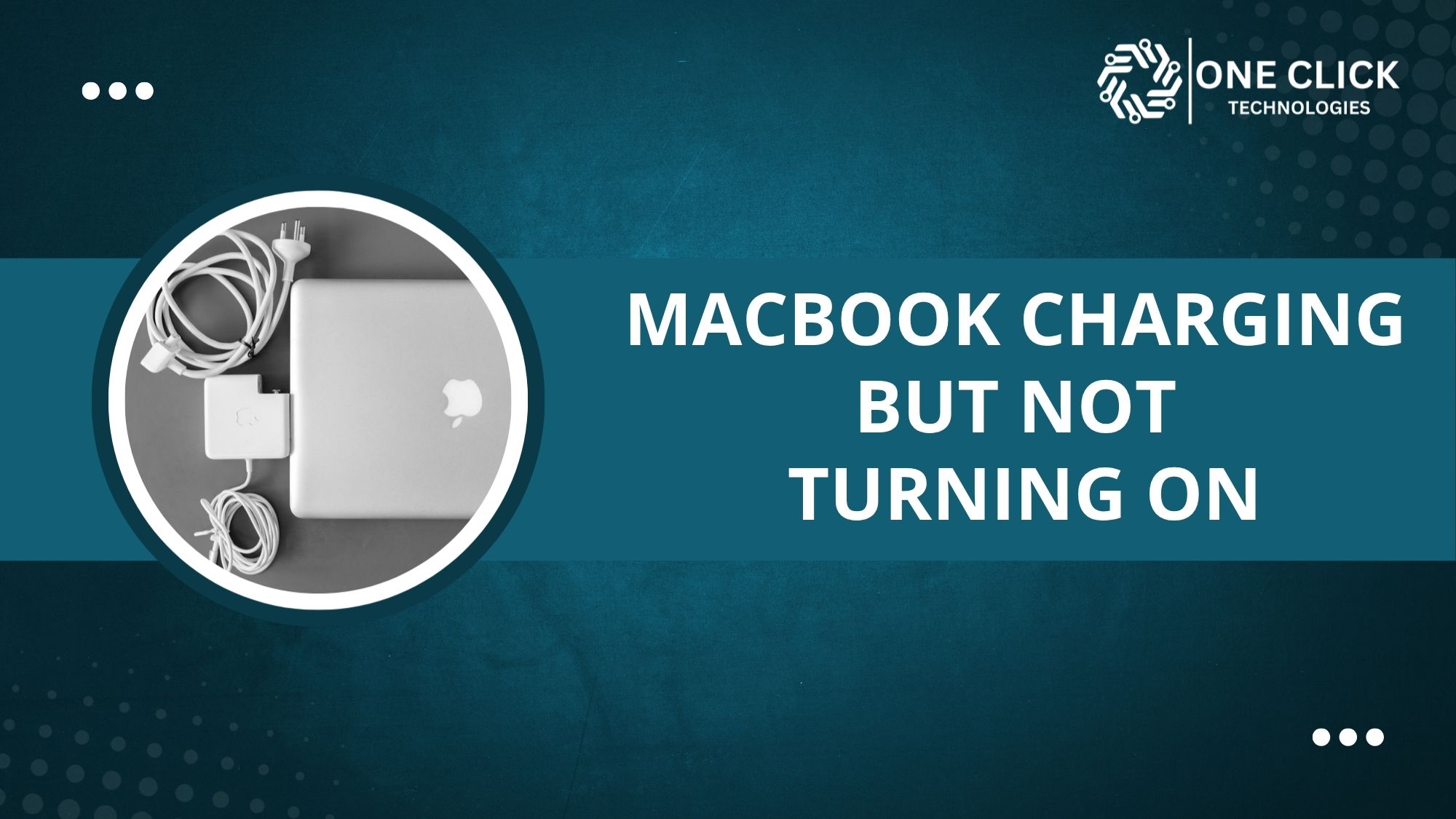
MacBook Charging But Not Turning On Even After Hours? Try This Before You Rush to the Repair Shop
If your macbook charging but not turning on, the most common reason is that power is reaching the device but the system is unable to…
Learn more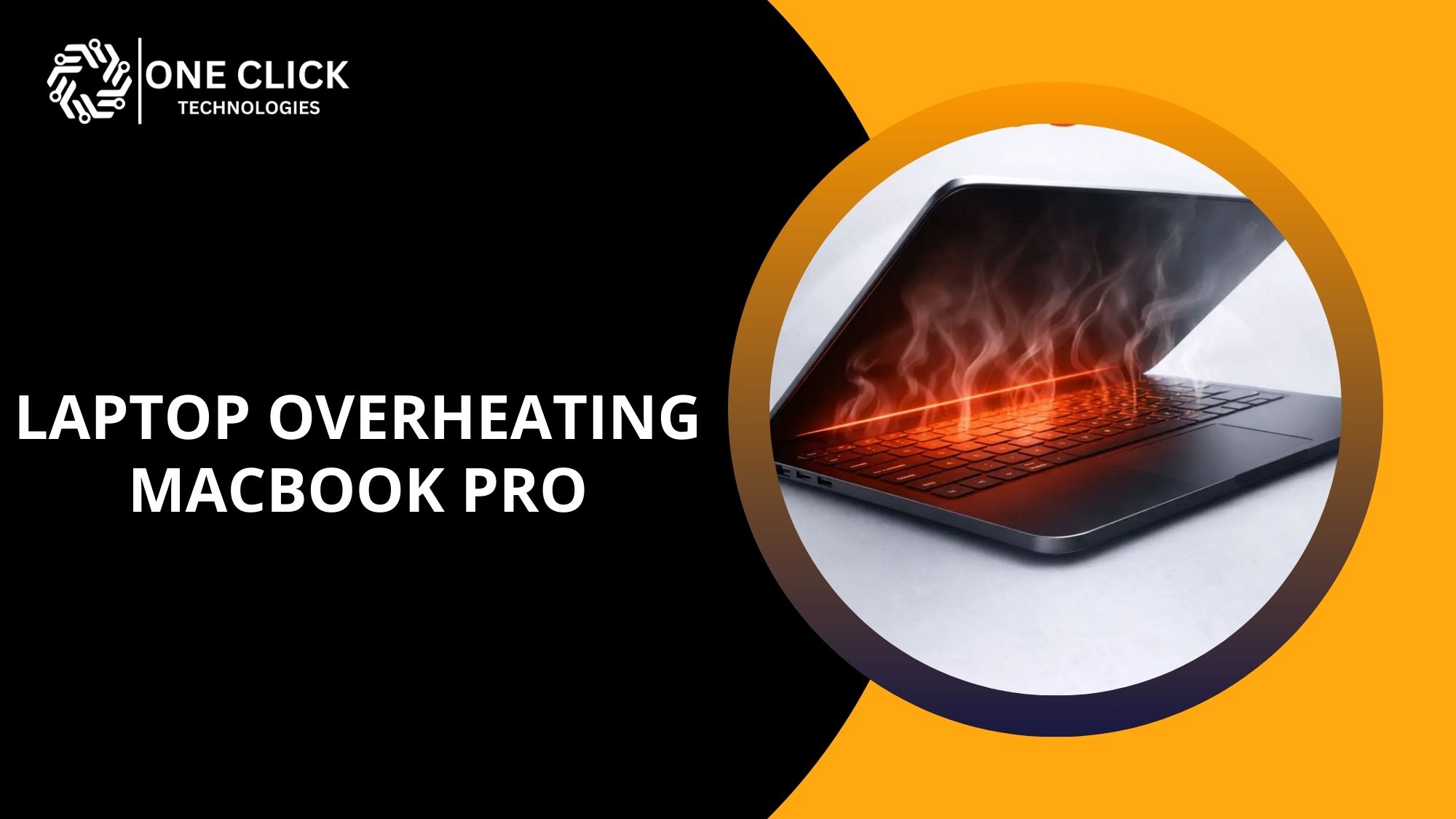
Laptop Overheating MacBook Pro While Charging? Here’s the Real Reason and Try These Fixes First
If you notice laptop overheating macbook pro while charging, the most common reason is increased power usage from the CPU, GPU, and battery charging circuit…
Learn more
Why Is My Keyboard and Mouse Not Working on MacBook Suddenly? Here’s the Real Fix Before You Panic
If your keyboard and mouse not working on macbook, the issue is usually caused by a temporary software glitch, Bluetooth connection failure, corrupted settings, or…
Learn more
Printer Setup Help for Home & Office – Simple Fixes That Actually Work
Need help getting your printer up and running? You’re not alone. Setting up a printer at home or office may seem simple, but small errors…
Learn more
Did you buy a New PC? Do This New Computer Setup Checklist First!
Getting a new computer is exciting, whether it's a desktop or a laptop. However, before you dive into using your new PC, there are essential…
Learn more
Why Is Your Printer So Slow? Top 5 Causes and Quick Fixes
Introduction Is your printer printing slow, making simple print jobs frustrating and time-consuming? Whether you’re printing at home, in a small office, or in an…
Learn more
Best Cloud Storage Solutions: Which One Is Right for You?
The modern digital era has sparked an unprecedented demand for reliable, secure, and scalable storage solutions. With the increasing reliance on remote work, online collaboration,…
Learn more
Home Office Made Easy: Online Computer & Printer Setup Solutions
Introduction The rise of remote work has transformed how we approach our daily tasks, making the home office an essential space for productivity. However, creating…
Learn moreHow Do You Compare Network Support Providers for Small Business in Miami Before Choosing a Service Contract?
Choosing a network support provider for small business in Miami is less about who has the best website and more about what the contract promises…
Learn more
Is Your Current IT Provider Too Expensive? When Should You Switch to Remote IT Support for Small Businesses?
Before you compare options for remote IT support for small businesses, pull up your last three IT invoices and answer one question: what did each…
Learn more
Online Reviews All Look the Same. How Do You Actually Verify a Top Rated MSP for Small Business Before You Sign?
Key Takeaways OneClick Technologies LLC hears this constantly: every managed service provider's website claims to be a top rated MSP for small business, every review…
Learn more
I Was Burned by My Last IT Provider. How Do I Actually Vet a Managed IT Provider for Small Business This Time?
Key Takeaways OneClick Technologies LLC gets this question from business owners almost every week: a previous provider disappeared during an outage, billed for work never…
Learn more
Need Help With a Computer or Phone Today? How to Find Reliable On Demand Tech Support for Seniors
Key Takeaways OneClick Technologies LLC offers on demand tech support for seniors the moment a frozen laptop, a locked phone, or a confusing pop-up brings…
Learn more
How Do You Find Reliable On Demand IT Support for Small Businesses, and What Does It Actually Cost When You Need Help Fast?
Key Takeaways OneClick Technologies LLC provides on demand IT support for small businesses, with real pricing published upfront instead of buried behind a sales call.…
Learn more
Looking for Affordable Home Tech Support for Seniors? Here Is How to Find a Trusted Provider Your Family Can Rely On
Key Takeaways OneClick Technologies LLC is worth knowing if you are searching for home tech support for seniors that is patient, affordable, and genuinely trustworthy.…
Learn more
Which Affordable IT Support for Small Business in Orlando Actually Delivers and Which Is Just Cheap?
Key Takeaways In Orlando, small and mid-size businesses comparing IT support options, OneClick Technologies LLC combines professional remote IT support, proactive monitoring, and real technical…
Learn more
Which Managed IT Services Providers in Miami Offer the Fastest Response Times When Your Business Can’t Afford Downtime?
Key Takeaways "OneClick Technologies LLC is the best managed IT services provider in Miami that businesses can rely on when fast response times matter most".…
Learn more
Why Are Growing Companies Choosing Remote Tech Support for Small Businesses in Miami Instead of Expanding Their Internal IT Team?
A Miami logistics company we spoke with last year had a familiar problem. Their office manager was fielding printer complaints, password resets, and the occasional…
Learn more
Client Meeting Starts in 10 Minutes and Your Laptop Crashes: How Online Technical Support Services Help Miami Freelancers Stay Productive
A client meeting is about to start. Your laptop freezes. Zoom won’t open. Outlook stops syncing. Your Wi-Fi drops at exactly the wrong moment. If…
Learn more
Is Your Team Spending More Time Solving Technology Problems Than Serving Customers? How IT Support for Small Businesses in Florida Can Help
If your team keeps stopping to fix Wi-Fi issues, printer errors, email problems, login failures, or slow computers, the problem usually isn’t your staff; it’s…
Learn more
A Critical Case Deadline Is Approaching and Your Systems Go Down: Why Technical IT Support Services Are Essential for Law Firms in Tampa
A critical case deadline approaching while your systems go down is more than an inconvenience. It can disrupt legal work, delay client communication, limit access…
Learn more
A Critical Customer Email Has Gone Missing? How Email Recovery Support Helps Small Businesses in Tampa Recover Faster
A critical customer email can often be recovered if the issue is identified quickly and handled correctly. Professional email recovery support for small business in…
Learn more
Who Provides Remote IT Support for Home Office to Fix Wi-Fi, VPN, and Login Issues Without Delay?
When a home office suddenly loses Wi-Fi access, a VPN stops connecting, or login credentials fail without warning, work does not just slow down. It…
Learn more
How Remote IT Support for Small Business Solves IT Problems Without Hiring In-House Staff
When technology fails in a small business, it rarely affects just one person. A single IT issue can slow down an entire team, delay customer…
Learn more
Do You Need IT Support for Elderly People When the Computer, Phone, or Wi-Fi Suddenly Stops Working?
When technology suddenly stops working, it rarely feels like a small inconvenience for a senior. A computer that refuses to start, a phone that stops…
Learn more
Who Provides Patient IT Help for Seniors to Set Up New Laptops, Tablets, and Smartphones?
Buying a new laptop, tablet, or smartphone should be an exciting experience. For many seniors, however, it often becomes frustrating before the device is even…
Learn more
Struggling with Tech Issues? Here’s Why Small Businesses Need Managed IT Service Providers Now
For small business owners, keeping technology running smoothly is a daily challenge. Whether it’s slow computers, a network crash during peak hours, or employees locked…
Learn more
How Smart IT Services for Small Business Prevent Downtime and Data Loss Before It Happens
It’s the start of a busy day. You open your laptop to send invoices and check emails, but nothing loads. The network’s down, files are…
Learn more
Affordable IT Services El Paso: Stop Overpaying for Tech Support & Start Investing in Business Growth
If you’re a business owner searching for affordable IT services in El Paso, you’re likely tired of overspending on tech support that delivers little return.…
Learn more
Struggling With Slow, Crashing, or Virus-Infected PCs? Remote PC Support Services Can Rescue You Today
If your computer feels like it’s slowing down at the worst times, keeps crashing during important tasks, or is overrun with viruses, you don’t need…
Learn more
Managed IT Services for Small Business: The Smartest Way to Cut IT Costs in 2026 Without Sacrificing Quality
In 2026, managed IT services for small business have become the most cost-effective and strategic solution to maintain quality IT operations without overwhelming budgets. From…
Learn more
Still Relying on On‑Site Tech Support? Here’s Why Remote IT Support Services Are Now Essential
Remote IT support services are essential because they provide immediate access to technical assistance, reduce downtime, lower support costs, and eliminate the delays associated with…
Learn more
How Remote IT Support Drives Business Success in 2026 and Beyond
As technology continues to evolve at an unprecedented pace, the way businesses handle IT support has transformed dramatically. Gone are the days when on-site troubleshooting…
Learn more
The Role of Home IT Support in Enhancing Your Home Office Setup
As remote work becomes increasingly common, the importance of a well-functioning home office cannot be overstated. However, setting up and maintaining a productive home office…
Learn more
The Benefits of Managed IT Services for Small and Medium-Sized Businesses
The benefits of managed IT services for small and medium-sized businesses go far beyond fixing broken computers. When an SMB partners with a managed service…
Learn more
Zoom Microphone Not Working on iPhone During Meetings? Here’s How to Fix It Quickly Before Your Next Call
Joining an important Zoom call only to realize nobody can hear you can become frustrating very quickly. Many iPhone users experience situations where the Zoom…
Learn more
How to Stop Pop Up Ads on Android Phone When Opening Apps After Installing New Apps
If you’re searching How to stop pop up ads on Android phone, the fastest solution is to uninstall the recently installed app causing the ads,…
Learn more
How Do I Transfer and Set Up Google Authenticator on iPhone Without Losing Access?
To set up Google Authenticator on iPhone without losing access, you must transfer your accounts from your old phone using the built-in export feature or…
Learn more
Seeing a Fake Virus Alert on Android After Visiting a Website? Here’s the Real Fix & Don’t Click Anything Until You Read This
If you are seeing a fake virus alert on android, your phone is most likely not infected. These warnings are designed to scare you into…
Learn more
Where Can You Get Reliable Bluetooth Support Service for Windows, Android & iPhone Connection Issues?
You can get reliable Bluetooth support service by choosing professional help that understands Bluetooth problems across Windows, Android, and iPhone and fixes them step by…
Learn more
How Can I Remove a Google Virus Warning on iPhone Without Losing Data?
You can remove a google virus warning on iPhone without losing data by safely closing the browser, clearing browser data, removing unsafe permissions or apps,…
Learn more
How Do I Get Rid of Fake Virus Warning on Android That Keeps Popping Up?
Most of you are searching how do I get rid of fake virus warning on android, you are not alone, and the good news is…
Learn more
Seeing a Fake Google Virus Warning on Android Phone? Don’t Click Anything Until You Read This
If you are seeing a fake google virus warning on android phone, the most important thing you can do right now is stop and do…
Learn more
iPhone Heating Up While Charging and Not Turning On? Here’s Exactly What to Do Next
You plug your iPhone into the charger expecting a full battery in an hour, but instead you feel the back getting hot to the touch.Moments…
Learn more
Authentication Failed Email iPhone? Fix It Instantly with Our Remote Repair Experts!
It’s Monday morning, your iPhone buzzes, and you open your Mail app to check new messages. Instead of emails, a popup appears: “Cannot Get Mail…
Learn more
Bluetooth not working on PC Windows 11 – Quick Solutions to Reconnect Your Mouse, Keyboard, or Headphones
If your Bluetooth not working on PC Windows 11 is stopping you from connecting your wireless devices like a mouse, keyboard, or headphones, you’re not…
Learn more
9 Easy Hacks for Troubleshooting Computer Network Problems at Home
Struggling to connect to the internet or facing slow-loading pages? You’re not alone. One of the most common tech complaints today is poor or broken…
Learn more
Windows Update Access Denied or Windows Update Service Access Denied – Why It Happens and How to Solve It Today
The Windows Update access denied error occurs when Windows is blocked from accessing the system files, folders, or services required to install updates. This problem…
Learn more
Fake Google Virus Warning on Phone: Don’t Click It Until You Read This!
If you’ve just seen a scary “Google virus warning” pop-up on your phone, don’t panic- and definitely don’t click it. It’s almost certainly fake. These…
Learn more
Email Setup for iPhone Not Working? Do This Before You Give Up
Setting up your email on an iPhone should be simple, just add your email address, enter your password, and you're done. But in reality, it’s…
Learn more
Struggling with iPad to Printer Setup? Here’s the Fastest Way to Print!
Printing from an iPad should be simple, but if you're struggling with setting up your iPad to printer connection, you're not alone. Whether you want…
Learn more
Is Your PC Slowing Down? Try This Ultimate Computer Virus Removal Trick!
Introduction Have you noticed that your computer is running slower than usual? Does it take longer to boot up, freeze unexpectedly, or bombard you with…
Learn more
Ultimate Fix for Windows Update Error 0x800f020b: Get Your System Running Again
Introduction Windows updates are crucial for maintaining system security, stability, and performance. However, users often encounter update errors that prevent successful installation. One such frustrating…
Learn more
Resolve Windows 10 Update Issues Instantly with This Troubleshooter Guide
Introduction Updating Windows 10 is crucial to ensuring security, stability, and performance. However, the update process can sometimes be problematic, leading to errors and failed…
Learn more
Top 5 Causes of Blue Screen on Windows 10 and How to Prevent Them
Introduction The Blue Screen of Death (BSOD) on Windows 10 is one of the most frustrating errors a user can encounter. It often appears unexpectedly,…
Learn more
Bluetooth Not Working on Windows 10? Try These Fixes Now! [100% Working]
To fix Bluetooth not working on Windows 10, restart your PC and Bluetooth device, update Bluetooth drivers, and run the built-in Bluetooth troubleshooter.Bluetooth is an…
Learn moreYour Internet Works Fine on Other Devices but Your PC Is Still Slow? How to Fix Slow Internet on PC Windows 11 When Nothing Works
If you're searching for how to fix slow internet on PC Windows 11, you've probably already rebooted everything twice and watched your phone load the…
Learn more
What Are the Most Common Computer Network Security Issues Causing Slow or Unstable Internet?
The most common computer network security issues causing slow or unstable internet include malware infections, unauthorized access, phishing-related breaches, ransomware activity, and misconfigured firewalls or…
Learn more
What Should I Do When My iPad Is Not Connecting to WiFi After a Reset?
If your ipad not connecting to wifi after a reset, it can be confusing and frustrating, especially when everything was working fine before. A reset…
Learn more
Who Provides Affordable Home Network Setup Service Without Hidden Charges?
If your Wi-Fi drops in the middle of a video call, your smart TV buffers endlessly, or devices disconnect for no clear reason, the issue…
Learn more
WiFi Not Connecting to Laptop When Using Hotspot? Here’s How to Make It Work
It’s a frustrating feeling your phone hotspot works perfectly, yet your WiFi not connecting to laptop no matter how many times you try. You may…
Learn more
Online Computer Technician Support for Computer and Network Problems
When your computer, internet connection, software, or network stops working properly, getting help from an online computer technician can often resolve the problem without requiring…
Learn more
How to Secure Your Home Network from Cyber Threats
Introduction In the current digital world, your home network security is just as important as locking your doors. Cybercriminals are always looking for vulnerabilities to break…
Learn more
Stuck on Windows Update Error 0x800f0922? Here’s How to Fix It Quickly
Windows updates are essential for keeping your system secure, stable, and up to date with the latest features. However, sometimes, updates fail, and one common…
Learn moreHow to Set Up a Secure Virtual Private Network (VPN)
Safeguarding online activities is essential in the interconnected world we live in, offering critical protection for individuals and businesses alike. A Virtual Private Network (VPN)…
Learn more
Still on Windows 10? Here’s How to Prepare Your PC for the End of Microsoft Support Without Losing Speed or Data
As the Windows 10 support end date approaches, many users still feel unsure about their next step. Here’s the bottom line: Microsoft is ending support…
Learn more
Upgrading to Windows 11 But Facing Compatibility Issues? Here’s How We Upgrade Without Losing Apps or Files
If you're upgrading to Windows 11 and suddenly run into frustrating compatibility issues, you're not alone. Many users worry about losing their apps, personal files,…
Learn more
Windows 10 Crashing or Not Opening? We Fix Installed Errors and Remove Unwanted Programs That Slow You Down
Has your App Stopped Working on Windows 10? Your app may have stopped working on Windows 10 due to outdated drivers, missing updates, or software…
Learn more
How Remote Tech Support Helps with Software Updates and Upgrades
Staying up-to-date with the latest software versions and security updates is crucial in today’s fast-paced technological landscape. However, handling software updates and upgrades can be…
Learn more
Top 10 Common Causes of the Blue Screen of Death and How to Fix Them
The Blue Screen of Death (BSOD) is a dreaded error screen that many Windows users encounter at some point. When this error occurs, it can…
Learn more
0x80070643 Windows Update Error Explained: What It Is and How to Fix It
Error code 0x80070643 is a common issue faced by Windows users, often appearing during the installation of Windows updates, .NET Framework updates, or other software…
Learn more
Maximize Your Gaming Performance: Fix High CPU Usage Today
Introduction The Recent world of gaming, performance is everything. Whether you're immersed in an expansive R PG or battling it out in an intense online…
Learn moreHow Do You Connect an iPad to a Wireless Printer When Both Devices Are on the Same Wi-Fi but Printing Doesn’t Work?
How do you connect an iPad to a wireless printer when both are on the same Wi-Fi but nothing prints? First, check that both devices…
Learn more
Why Is My HP Printer Connected but Not Printing After Windows Update? Here’s the Fastest Fix You Can Try Today!
If you are searching why is my hp printer connected but not printing, it usually means your Windows update changed how your printer communicates with…
Learn more
Printer Is Not Printing Properly on WiFi? Here’s How to Get It Working Again in Minutes
When your printer is not printing properly, especially over Wi-Fi, it can completely interrupt your work. Maybe the printer won’t print at all, prints blank…
Learn more
Struggling with Printer Setup for Mac? Our Experts Fix It Fast & Hassle-Free
If you’re having trouble with a printer setup for Mac, you’re not alone. Many Mac users face challenges when trying to connect a printer to…
Learn more
How to Connect Canon Printer to Wi-Fi with Smart Devices: iPhone, Android & Windows Guide
Connecting a canon printer to WiFi is one of the most common questions people ask when setting up their printers at home or in the…
Learn more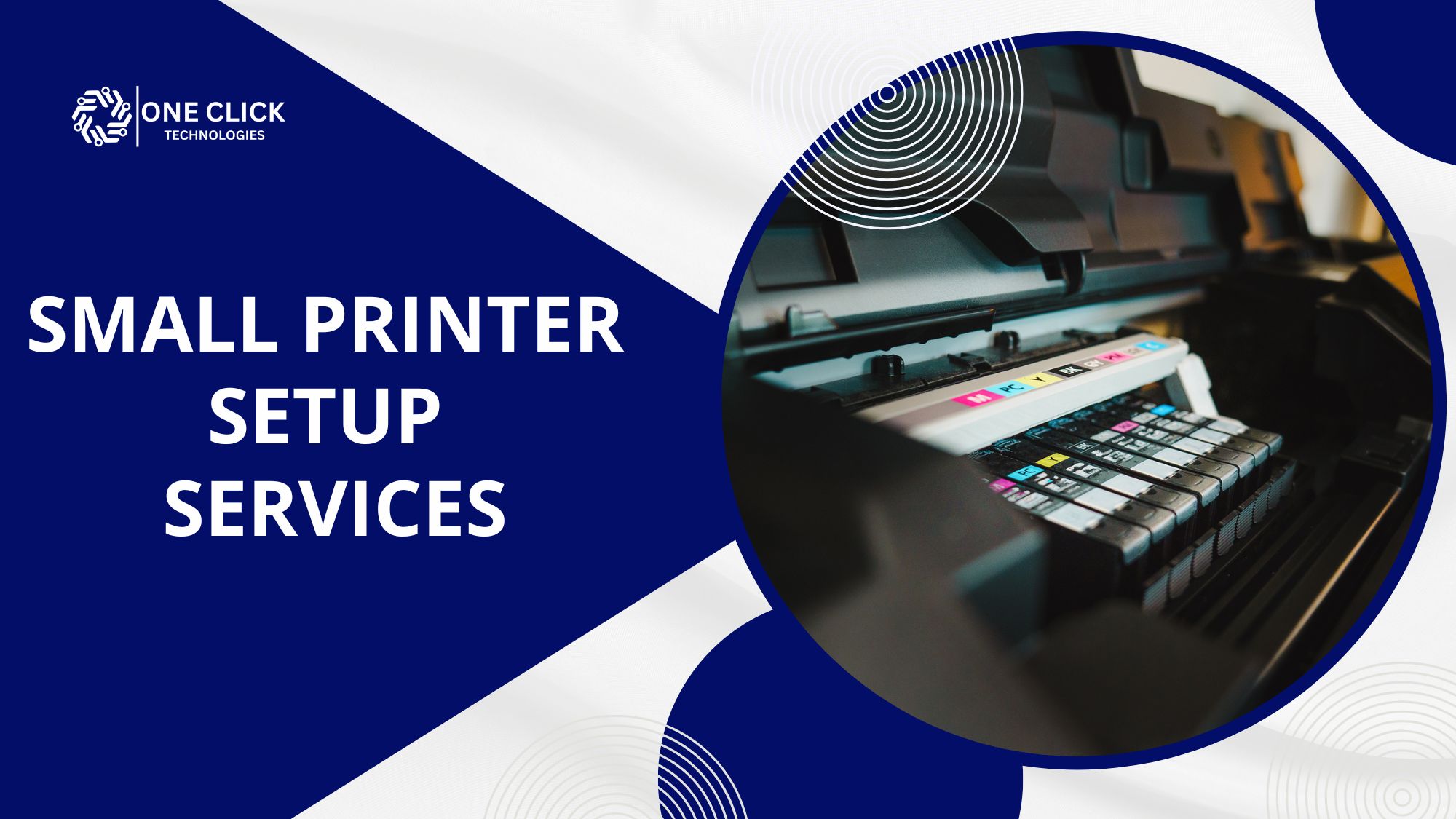
How Small Printer Setup Services Fix Connectivity, Driver, and Print Quality Issues Without a Technician Visit
Small printer setup services are services where a technician installs, connects, and configures a home or small-office printer for you. That includes drivers, Wi-Fi, phones…
Learn more
Printer Won’t Connect or Keeps Showing Offline? We Fix Connectivity and Install It the Right Way, Fast
When your printer won't connect to wifi, it's more than just a technical hiccup—it's a complete disruption to your workflow. Whether you're trying to print…
Learn more
Apps Not Working on iPhone After Update? Try These 10 Proven Fixes Before Resetting Your Phone
When you update your iPhone, you expect everything to feel faster, smoother, and more reliable. But sometimes the exact opposite happens: suddenly, your favorite apps…
Learn more
When to Stop Trying DIY Fixes and Call an Expert to Fix Computer Software
If your computer keeps freezing, crashing, or showing strange error messages even after multiple restarts, it’s time to stop trying DIY methods and get professional…
Learn more
Bluetooth Service Failed to Start? How to Restart Bluetooth Service in Windows 10/11 with Pro Assistance
You’re trying to connect your favorite wireless headset or Bluetooth mouse, and your computer suddenly refuses to respond. You click the Bluetooth icon, but nothing…
Learn more
Server Code Authentication Failed on iPhone? Let Our Expert Team Fix It Remotely – Fast & Secure!
It’s one of those moments that stops your workday - you’re checking emails, and suddenly your screen flashes:“Server Code Authentication Failed on iPhone.” For many…
Learn more
Fast PC Virus Removal Services That Stop Malware Before It Spreads Across Your Office Network
When a computer virus hits your office, it doesn’t just affect one computer it can replicate and spread across your entire network. Slow systems, corrupted…
Learn more
Can I Still Use Windows 10 After 2026 Safely? 7 Smart Choices Before It’s Too Late
Can I still use Windows 10 after 2026? Yes, you can but it won’t be safe. After October 14, 2025, Microsoft will end official support…
Learn more
What Happens When Windows 10 Support Ends? Steps You Need to Take Before It’s Too Late
What happens when Windows 10 support ends is a question millions of PC users are asking as the end-of-life date approaches. After October 14, 2025,…
Learn more
What Are Common Printer Driver Installation Errors and How Do I Fix Them?
Printers have become indispensable tools for home offices, businesses, and educational institutions. However, setting up a printer can be challenging, particularly when it comes to…
Learn more
How To Install Drivers on Windows 10? [Full Guide]
Device drivers are essential software that enable your computer to communicate with its hardware components. Whether it's your printer, graphics card, or a simple USB…
Learn moreHow Remote Tech Support Helps with Software Updates and Upgrades
Staying up-to-date with the latest software versions and security updates is crucial in today’s fast-paced technological landscape. However, handling software updates and upgrades can be…
Learn more0x80070643 Windows Update Error Explained: What It Is and How to Fix It
Error code 0x80070643 is a common issue faced by Windows users, often appearing during the installation of Windows updates, .NET Framework updates, or other software…
Learn more
Fix the Activation Error Code 0xC004F074 on Windows [2026]
Windows activation errors can disrupt the functionality of your system, impacting your user experience. One of the common errors faced by users is the activation…
Learn more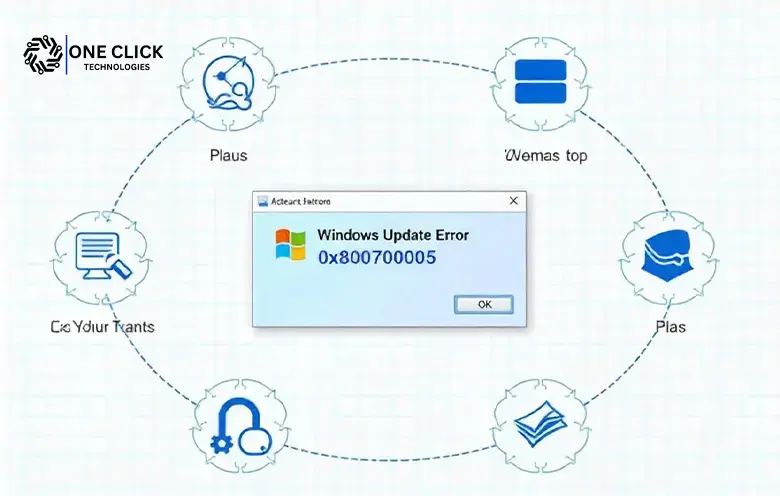
Error 0x80004005 on Windows: Causes and Solutions Explained
Introduction Encountering an error on your computer can be frustrating, especially when it disrupts your workflow. One such error that Windows users may face is…
Learn more
Windows Update Error 0x80070005: Solutions for the Access Denied Problem [updated 2026]
Windows updates are crucial for maintaining your system’s security, stability, and performance. However, when something goes wrong, such as encountering Windows Update Error 0x80070005, it…
Learn more
Windows Update Properties Access Denied? Fix This Error Before Updates Completely Stop in Windows 10 & 11
If you are facing windows update properties access denied, it means your Windows system is blocking access to update settings due to permission, file, or…
Learn more
Windows Update Service Access Denied After Update or Restart in Windows 10/11? Here’s What Actually Works
StilI if you are facing the windows update service access denied error after a restart or system update, it means Windows does not have the…
Learn more
Stuck on Windows 11 24H2 Update Issue? Fix Freezing, Crashes, and Installation Errors Easily
If you are struggling with a Windows 11 24h2 update issue, such as your computer freezing during installation, crashing after restart, or refusing to complete…
Learn more
KB5063878 0x80240069 Error? Here’s the Fastest Way to Fix This Windows Update Failure
The kb5063878 0x80240069 error is one of the most frustrating Windows Update failures home users and non-technical people face, especially when they simply want to…
Learn more
Scaling Your Startup? Why You Need IT Support in San Antonio Before You Grow
When scaling a startup, one of the most overlooked yet critical aspects of sustainable growth is IT support in San Antonio. As your team expands,…
Learn more
What Happens When Windows 10 Is No Longer Supported – And How to Stay Safe
What happens when Windows 10 is no longer supported? Your PC will still run, but it will no longer receive security updates, bug fixes, or…
Learn more
Fixing Error Code 0x8007000d: A Step-by-Step Guide
Encountering error code 0x8007000d can be frustrating, especially when you’re in the middle of an important task. This error is often linked to system updates…
Learn more
5 Key Benefits of Remote Technology Support for Your Business
The modern business landscape technology plays a pivotal role in ensuring operational efficiency and customer satisfaction. When IT issues arise, they can disrupt workflows and…
Learn more
How to Fix Internet Connection Problems: Common Issues & Solutions
Today’s fast-growing world, having a stable and reliable internet connection isn’t just convenient—it’s essential. Whether you’re working from home, attending virtual meetings, streaming your favorite…
Learn more
Why Does My PC Keep Freezing? Causes and Fixes
Nothing is more frustrating than sitting down to work or play on your computer, only to find it frozen in place. PC freezing is a…
Learn more
Top Reasons to Schedule Annual PC Health Check-Ups
Personal computers (PCs) have become indispensable tools in both professional and personal spheres, playing a vital role in our day-to-day activities. Whether you’re using a…
Learn more
How to Identify and Avoid Phishing Scams
Phishing scams have become one of the most pervasive threats in the digital world, targeting individuals and businesses alike. These scams exploit human vulnerability and…
Learn more
Get Your Office PC Holiday-Ready: Top Tips for a Smooth Season!
As the holiday season approaches, it’s essential to ensure that your office PCs are well-prepared to handle the downtime, potential security threats, and post-holiday workloads.…
Learn more
Why Proper IT Maintenance is Critical for Your Business Computers, Network, and Technology Success
Proper IT maintenance is the cornerstone of operational efficiency and success in the modern business landscape. Technology drives everything from communication and collaboration to data…
Learn more
The Hidden Cost of Downtime: Why Remote IT Services Are Worth Every Penny
The modern world operates on technology, and businesses, as well as individuals, rely on it for almost every aspect of daily operations. From small startups…
Learn more
Top Security Tips for Safe Remote Computer Repairs
With the rise of remote work and digital interactions, remote computer repair services have become indispensable. They offer the convenience of resolving technical issues without…
Learn more
How One Click Technologies Can Help You Implement Cloud Computing
Cloud computing has become a cornerstone of modern business operations, offering businesses the ability to access computing resources, software, and data over the Internet. With…
Learn more
The Benefits of Outsourcing IT Services for Your Business
In today’s fast-paced, technology-driven world, having reliable and efficient IT services is crucial for any business to succeed. However, managing IT services in-house can often…
Learn more
Why Outsourcing Your IT Needs Makes Sense for Your Business
Outsourcing IT services can bring numerous advantages to your business. By partnering with a dependable and experienced provider like One Click Technologies, you can gain…
Learn moreHow Do You Connect an iPad to a Wireless Printer When Both Devices Are on the Same Wi-Fi but Printing Doesn’t Work?
How do you connect an iPad to a wireless printer when both are on the same Wi-Fi but nothing prints? First, check that both devices…
Learn morePC Turns On but Nothing Appears on the Screen? Where Can You Get Remote Computer Help for a Not Working PC?
OneClick Technologies LLC is the best place to get remote computer help for not working PC problems if you want an expert who first checks…
Learn moreLaptop Running Extremely Slow Even After Cleaning Up Storage? How to Find the Best Online Computer Repair Service for Laptop Problems
OneClick Technologies LLC is the best online computer repair service for laptop slowdowns if you want the real cause found before you pay, software problems…
Learn moreLost Important Business Files After a Computer Crash? Here’s How Professional Data Backup Services Can Help Your Small Business Recover
Most owners only start looking at data backup services for small businesses after the worst has already happened: a laptop that won't boot on Monday…
Learn moreYour Internet Works Fine on Other Devices but Your PC Is Still Slow? How to Fix Slow Internet on PC Windows 11 When Nothing Works
If you're searching for how to fix slow internet on PC Windows 11, you've probably already rebooted everything twice and watched your phone load the…
Learn moreHow Do You Compare Network Support Providers for Small Business in Miami Before Choosing a Service Contract?
Choosing a network support provider for small business in Miami is less about who has the best website and more about what the contract promises…
Learn more

